Workplaces with many part-time and hourly employees often find that tracking attendance gets more complicated as staff turns over. Requiring personal smartphones or individual accounts puts extra burden on both employees and managers. This article walks through how placing a single tablet at your entrance can handle time tracking for your entire team.
Common Challenges with Part-Time Attendance Management
High turnover means constant setup Part-time workplaces often see staff come and go frequently. Any system that requires issuing individual IDs or having employees install apps creates recurring setup work every time someone new joins.
Per-user pricing adds up fast Most cloud attendance systems charge by the employee per month. During busy seasons when you bring on extra help, your monthly bill climbs accordingly.
Not all staff want to use personal smartphones Older part-time workers or employees who prefer not to use personal devices during work hours find it hard to adopt phone-based clock-in methods consistently.
Missed punches pile up at month-end When staff forget to clock in or out, corrections stack up at the end of the month — adding extra administrative work right when you're trying to close payroll.
Why a Shared Tablet Solves These Problems
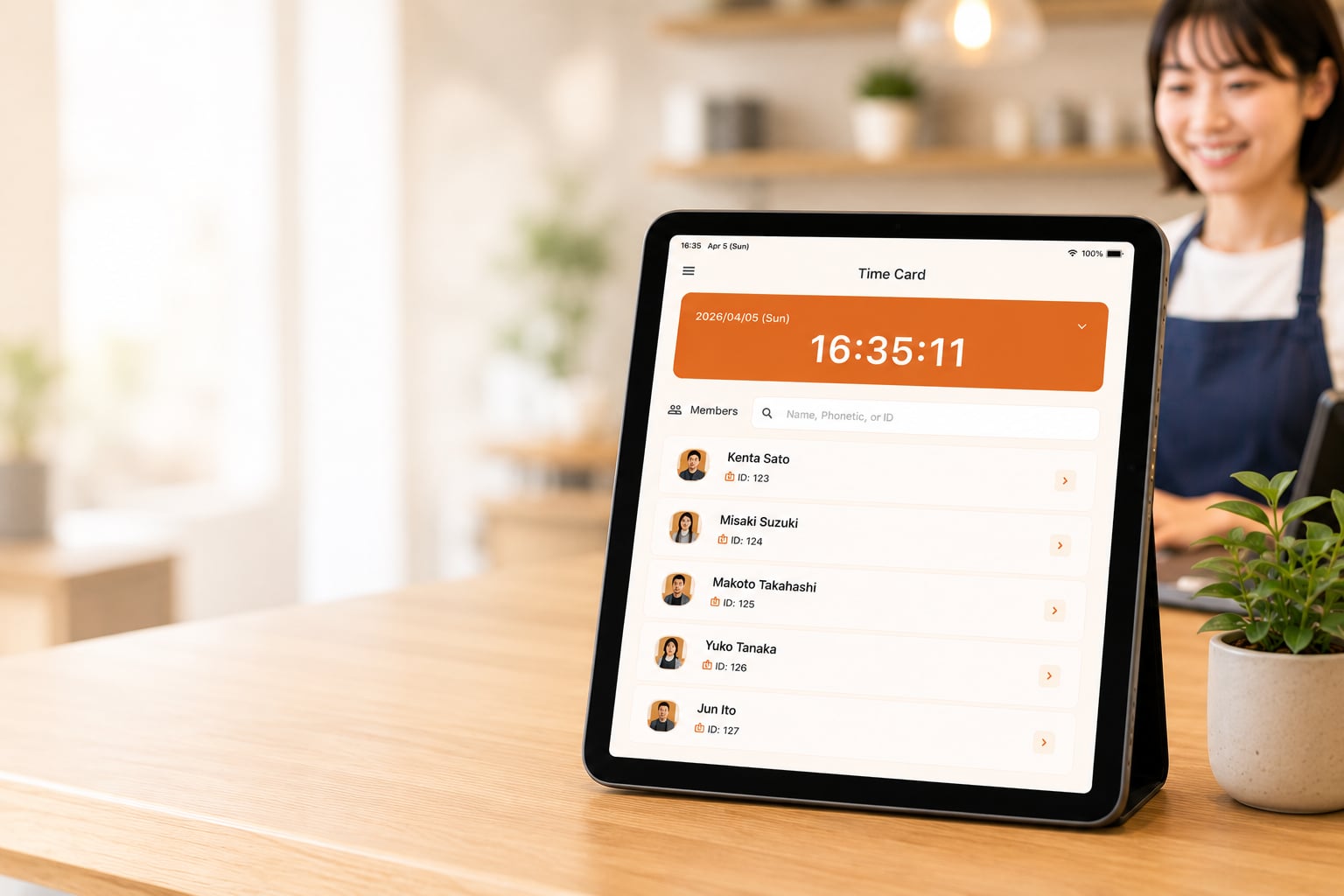
Place one tablet at reception, the locker room entrance, or the shop floor. Every employee clocks in and out on the same device.
Staff just tap — no login, no app install Employees find their name on the screen, tap it, and select Clock In or Clock Out. It works the same way a paper timecard does, just without the paper.
Admin registers members, and they're ready same day When a new hire starts, the manager adds their name in the app. That's it — they can clock in immediately. Removing a departing employee takes one step in the admin panel.
Flat monthly fee regardless of headcount The cost stays the same whether you have 5 staff or 50. Add seasonal workers during busy periods without worrying about the bill.
How It Works in Food Service, Retail, and Care Settings
Restaurants When lunch and dinner shifts use different staff, a tablet near the register or kitchen entrance keeps everyone on the same system. Shift-by-shift summaries compile automatically.
Retail and drugstores Part-time headcount can swing significantly by season. A flat-fee, unlimited-user plan means peak-season hiring doesn't spike your monthly costs.
Care facilities With night shifts, early shifts, and late shifts all rotating through, having every staff member clock in on the same device produces a clean shift-by-shift attendance log that simplifies end-of-month processing.
Month-End Export in CSV Format
All punch data recorded on the tablet can be exported as a CSV or Excel file. Import it directly into your existing payroll software or spreadsheet workflow — no manual re-entry required.
What to Look for in a Part-Time Attendance App
- No employee smartphone required
- Admin-only member registration and removal
- Flat monthly fee regardless of headcount
- CSV / Excel export
- Free trial so you can test it in your actual workplace
Time Clock App is a shared tablet time clock app with a flat monthly rate of $4.99, unlimited staff, and no device limits. The admin registers members, and employees are ready to clock in that same day. Try it free for 30 days on any tablet you already own.
Related Articles